Convert PDF to digital magazine with flip pages
Convert your PDF magazine, brochure and
other documents into a digital format with flip pages

Start your 8-day free trial now

Sign up for a free trial, and get access to all of the features and benefits of UniFlip self-service web tool without restrictions - There are no strings attached and no credit card is needed.
  • Learn why UniFlip is the fastest growing multi-publishing platform
  • User-friendly interface, no technical knowledge, or education required!
  • Fast and easy - No software to install - Online web tool
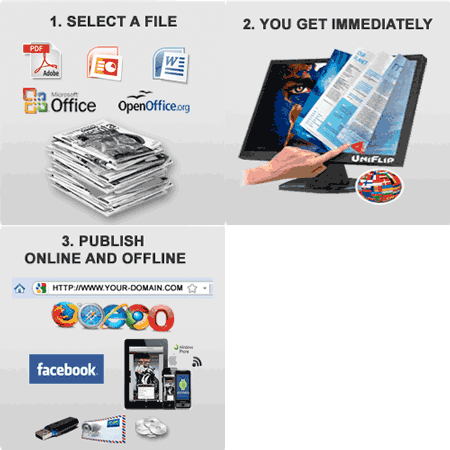
  • Get your e-publication published immediately - No waiting time
  • Publish online from your web domain / hosting, or UniFlip web hosting
  • Publish on the Internet, on Facebook Fan pages, on Tablet and Mobile devices
    (iPhone, iPad, Android and Windows Mobile)
  • Download all the files and publish offline (DVD, USB, PC and Mac)
  • Unlimited access from any PC and Mac - 24 / 7
World-Wide
Self-Service Publishing Platform - Choose between 20 languages
Self-service publishing platform for digital publication's
Follow 3 easy steps and publish now!

Create an online e-publication Step 1 / 3: Transfer your file and create an online e-publication

Select upload from your computer, read more...


or, select...

NEW Transfer a file from a specific web link, read more...


Convert PDF, Word, PowerPoint files to flip pages Don't have a PDF, Word or PowerPoint on your computer?
Copy / paste this PDF into option B: http://www.uniflip.com/test.pdf


Step 1/3


Get started to convert your file
Select a file (PDF, Word, or PowerPoint with all pages in one file.

In the 8-day free trial you can transfer up to 25MB and 100 pages.

If you have a license at your account, you can transfer up to 125MB and 300 pages.

Upload from your computer
Upload a PDF, Word, or PowerPoint file from your computer, and the system will start the conversion.

Make sure that your internet connection is not interrupted, firewalls setting allowing the transmission and no pop-up blocker activated.

Transfer from a specific web link
Insert a specific web address (url) to an online PDF, Word, or PowerPoint on the internet, and the system will import the file and start the conversion.

Use www.dropbox or another 3. part online service - Just insert the web link.

Try today - This new feature will save you a lot of time and ressources!

Choose language and color - Basic setup
After the conversion you can change the color and language and make even more customization to the layout and online e-publication at your account.

Insert a title (META) for your e-publication
The title of the publication is important for Search Engine Optimization (SEO) and will be displayed in search-engine results.

The title will also be displayed in the frame of users' browser and is the text users will see for the page when they add it to their browser's bookmarks.

NEW If you want to publish on Mobile / Tablet devices or Facebook pages, the title and description will also be visible in your e-Publication libary!

You can change the title on your account later.

Choose language for your readers
Choose between 20 different languages for tip tools and online help / text in the navigation bar.

Change the reading order (right to left) for languages such as Arabic, Hebrew and other languages at your account.

Change language and reading order at your account later.

Change the background color (optional)
Change background color to match your signature and corporate design.

After the conversion you can make more changes at your user account and insert your logo, customized icons, and remove online features.

Create a free user account
The system create a free user account for you af will convert your file without any waiting time

Edit and customize the layout after the conversion and test all features without any limitations.

Test and evaluate the system for 8-days and convert other documents - Unlimited!

Your information's are safe with UniFlip.
Your e-mail is the login for your user account and the system will e-mail instruction and the web link after the conversion.

We use a variety of security measures, including sophisticated encryption and authentication tools to maintain the safety of your personal information.

Your personal information is contained behind secured networks and is only accessible by a limited number of persons who have special access rights to such systems, and are required to keep the information confidential.

We do not sell, trade, share, or transfer your personal data to any outside parties.

Get started immediately - The system will assign the purchase to your account after the payment.